Taubman College students and alumni can access career support, professional development resources, and academic and career advising through Career Forge. Review this article to learn how to use Career Forge.
Scheduling Advising Appointments
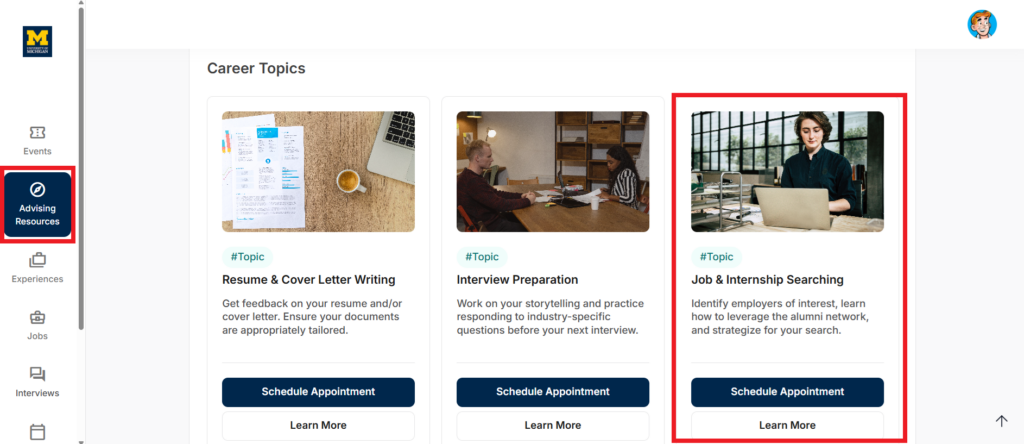
To connect with a member of the career team or the student affairs team, select Advising Resources from the navigation menu on the left side of your screen.
Advising is organized by topic. Review the list of career topics, academic topics, and student group topics, and select the reason you would like to meet with an advisor. Then, select Schedule Appointment.
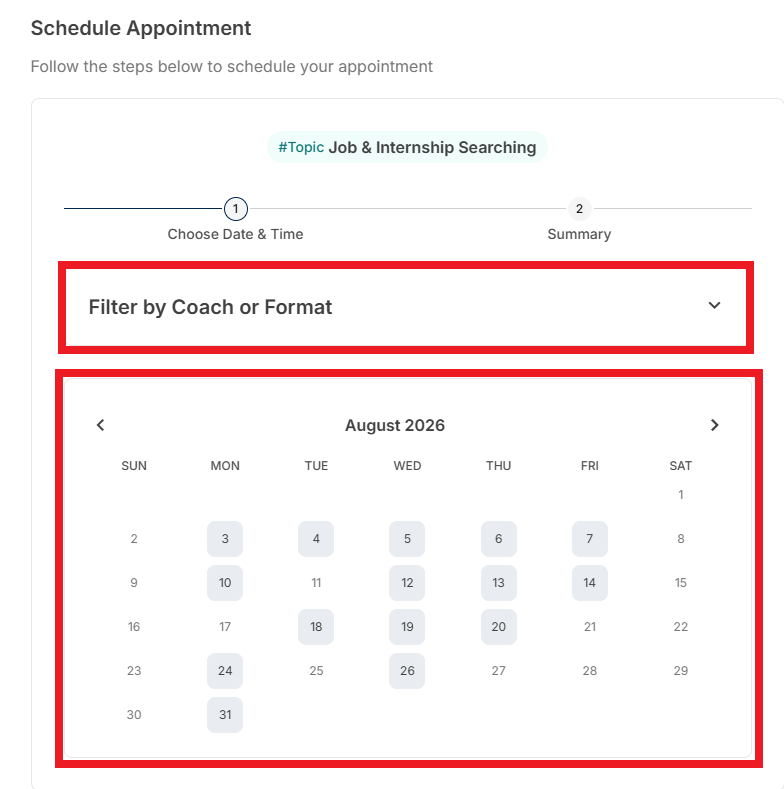
From here, you should follow the prompts to schedule an appointment. Prompts will vary based on appointment type. When scheduling, you have two options:
- Filter by Coach or Format – when selecting this drop-down, you can choose to see the availability of appointments with a particular coach or to see the availability of a certain appointment format (in-person or virtual).
- Select a Date – you can choose a date on the calendar to see the availability of all advisors and appointment formats for their advising topic.
Registering for Events
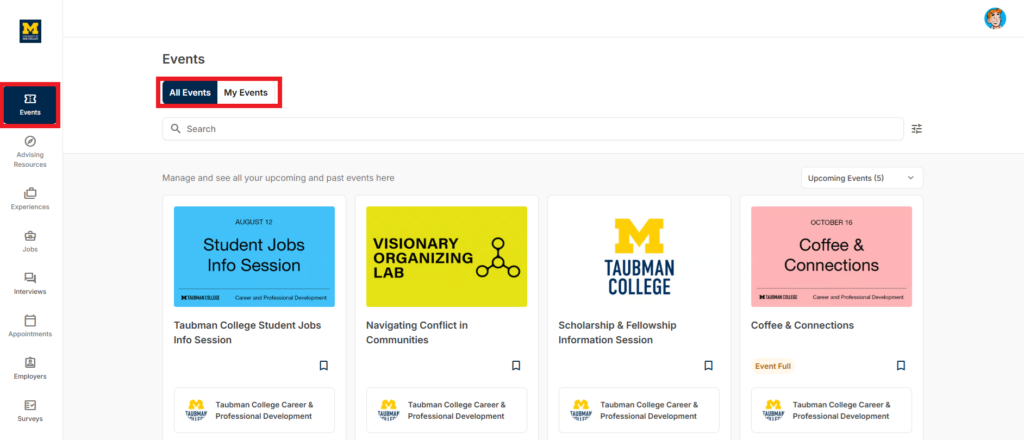
To register for professional development events, you can select Events from the navigation menu on the left side of the screen.
Events are organized by date. Click on an event to review the event details and to register. To view events that you have already registered for, select My Events.
Applying for Jobs & Internships
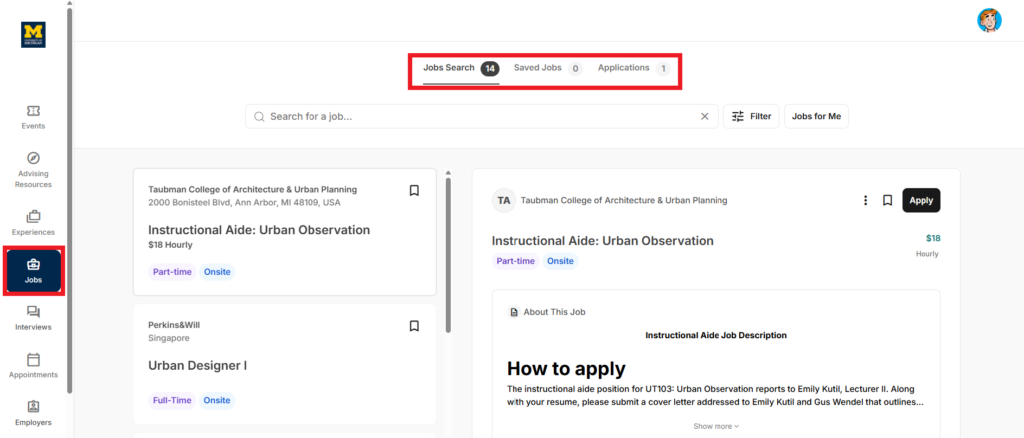
To review jobs, internships, and other professional opportunities, you can select Jobs from the navigation menu on the left side of the screen.
Jobs are organized by the date they were posted on the job board. Scroll through the postings to find opportunities of interest. When you click on a posting, the details will populate on the right side of the screen.
At the top of the screen, you can toggle to view your saved jobs and jobs to which you have applied.
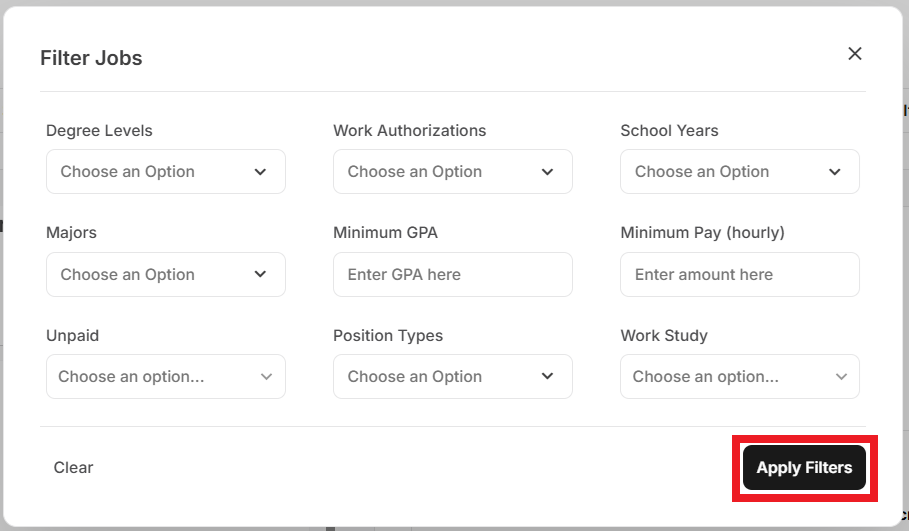
To narrow the list of postings, you can click Filter. This will allow you to sort postings by various criteria. Once you have added the appropriate filters, select Apply Filters to view the amended list. Alternatively, you can choose Jobs for Me from the primary jobs page – this will show jobs that are a match for you based on your candidate profile.
If you have questions as you navigate the Career Forge platform, contact the Career & Professional Development team by emailing taubmancollegecareer@umich.edu.